PlayFab Hub
CROSS-PLATFORM BACKEND SOLUTION FOR UNITY
Bring your PlayFab backend into Unity. Turn on the features your game needs, call them through one clean API, and manage your title from an editor-only Admin Hub with dry-run previews before anything goes live.
Your PlayFab backend, inside Unity.
Client Hub
Turn features on and configure them from one ScriptableObject. Auth, player data, Economy v1 and v2, leaderboards, CloudScript, social, LiveOps, notifications and multiplayer helpers.
One clean API
Every call returns a result with Ok, Data and Error, so success and failure are handled the same way across your whole game.
Admin Hub
An editor-only window for health checks, catalog, Title Data, CloudScript and ban tools. Supported writes run as a dry-run preview first.
No separate Azure Functions
The default workflow uses PlayFab-hosted Legacy JavaScript CloudScript, so there is one fewer service to deploy and maintain. Azure Functions stays optional.
Setup checks
Per-feature checks show what your title and project are still missing, each linked to the official PlayFab documentation.
Six demo scenes
Login, Leaderboard and an Economy v2 Shop, each in uGUI and UI Toolkit, with sample source you can reshape into your own screens.
See it before you buy.
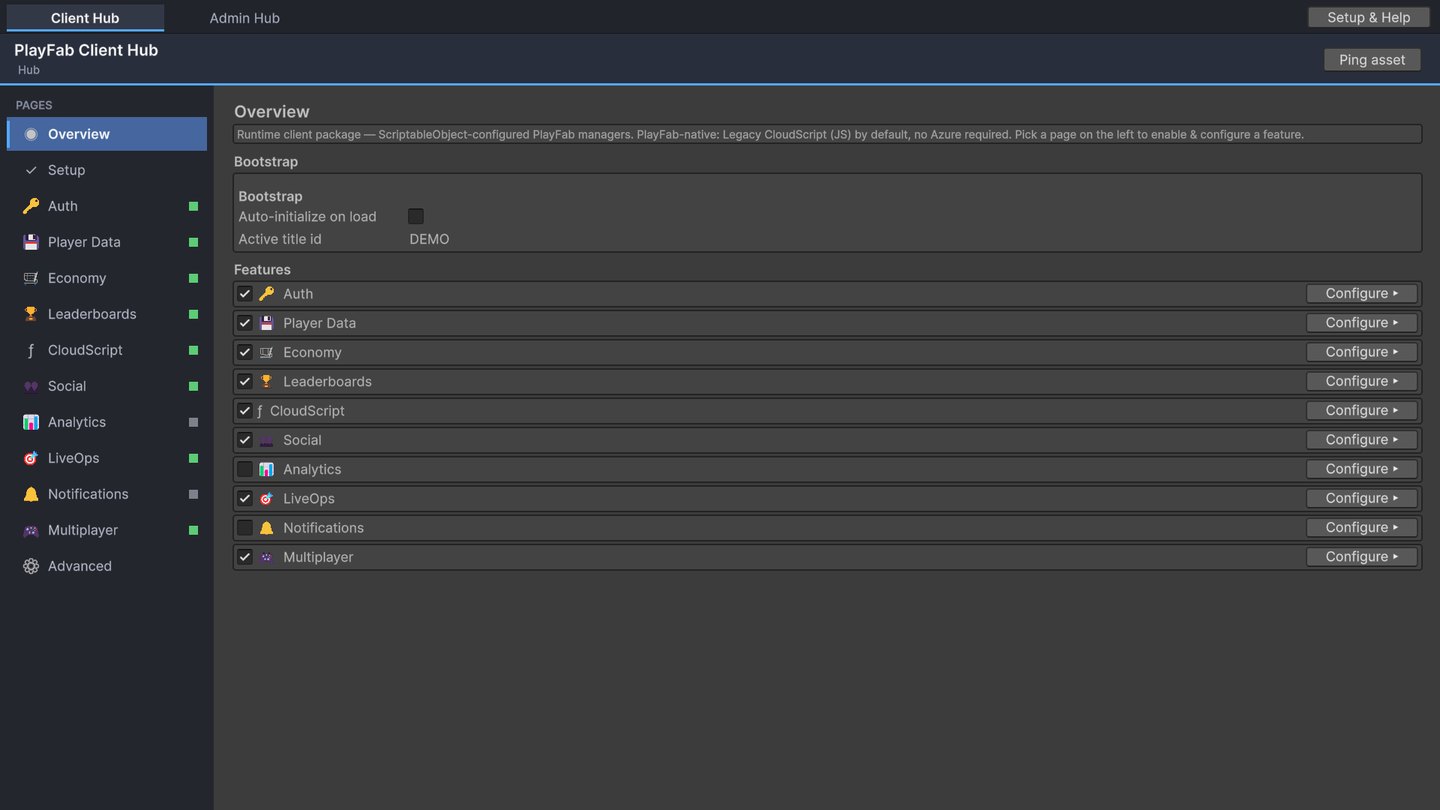
Client Hub
Pick the features your game uses and configure each one.
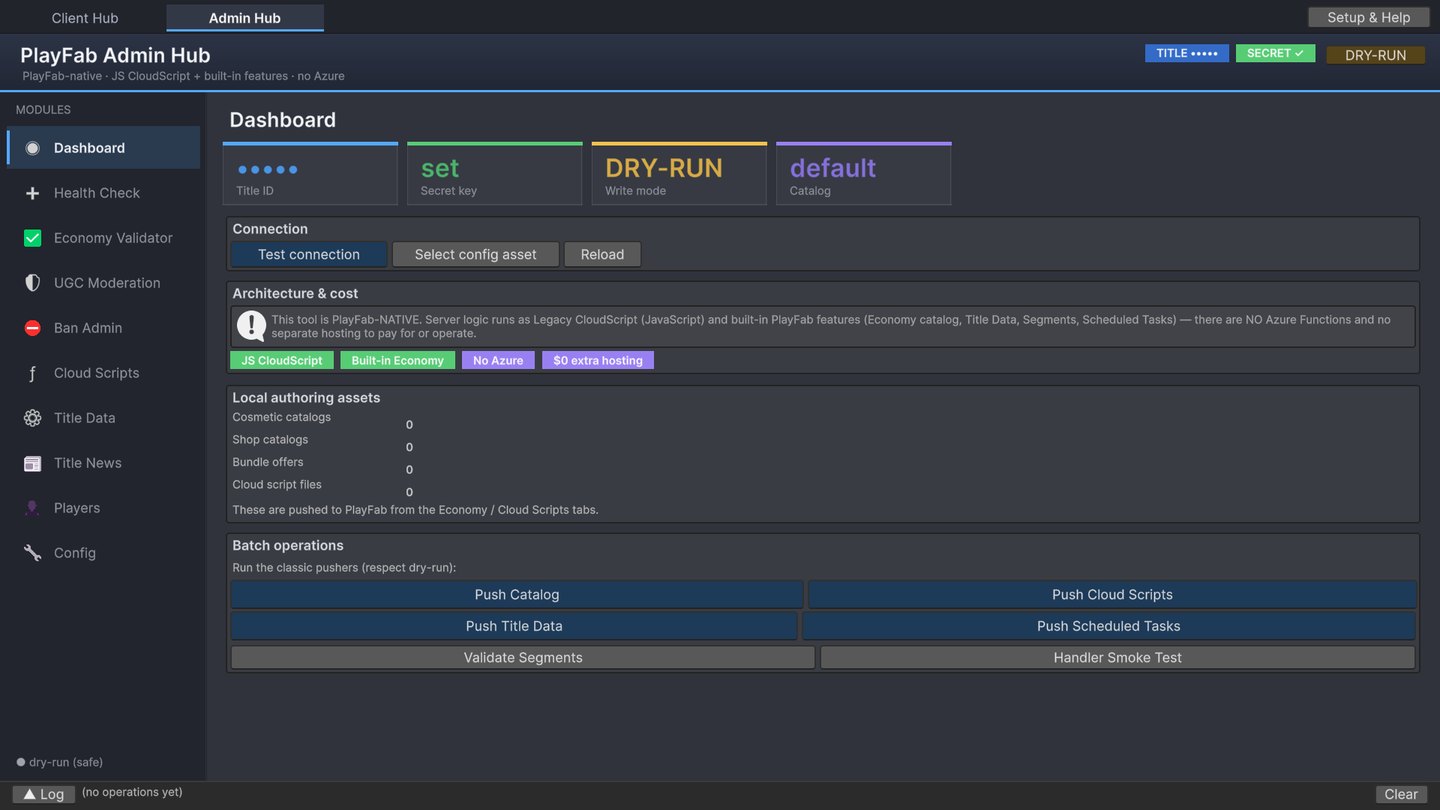
Admin Hub
Push catalog, Title Data and CloudScript from Unity, in dry-run first.
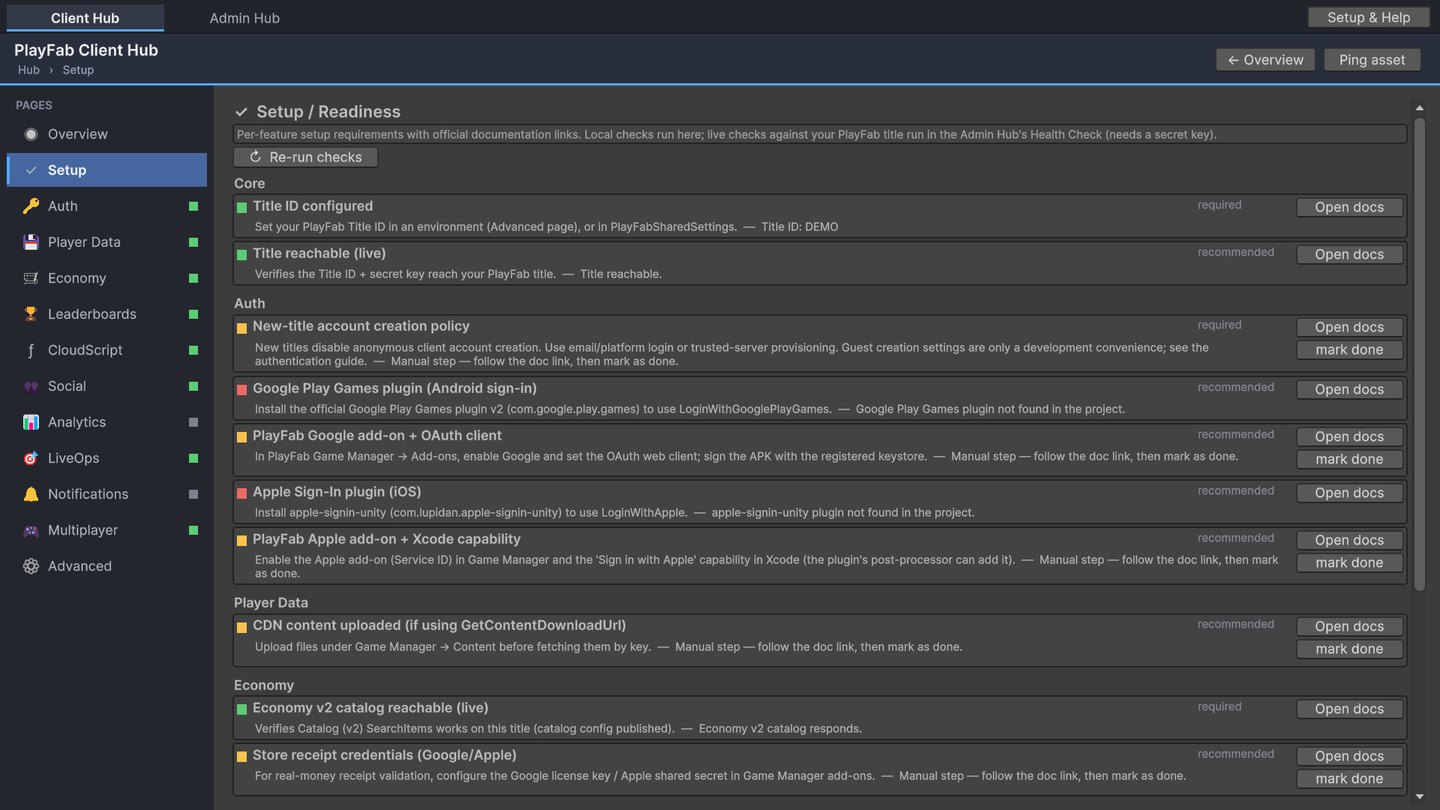
Setup checks
Green, amber and red status for every feature you turn on.
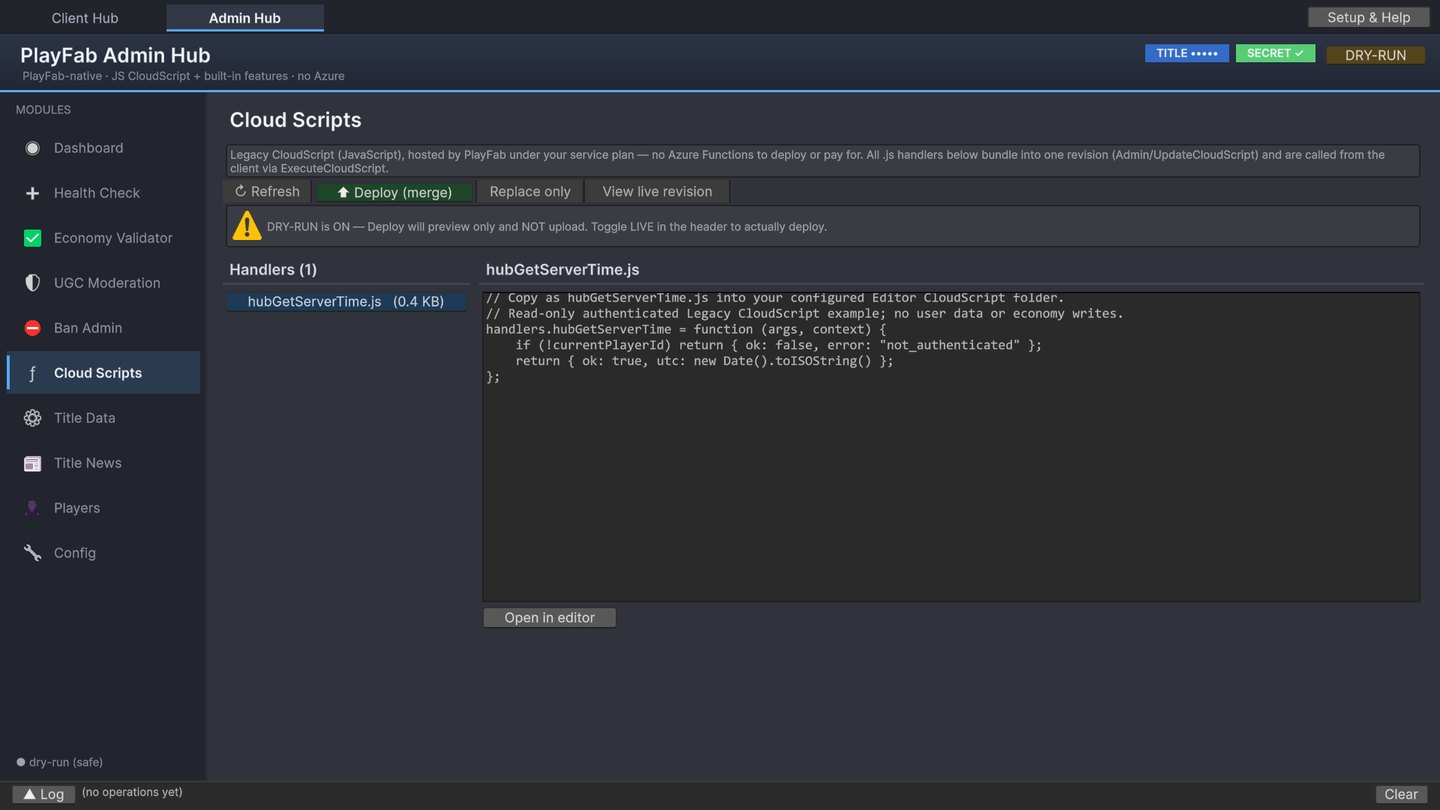
CloudScript
Deploy Legacy JavaScript handlers by merge or replace.
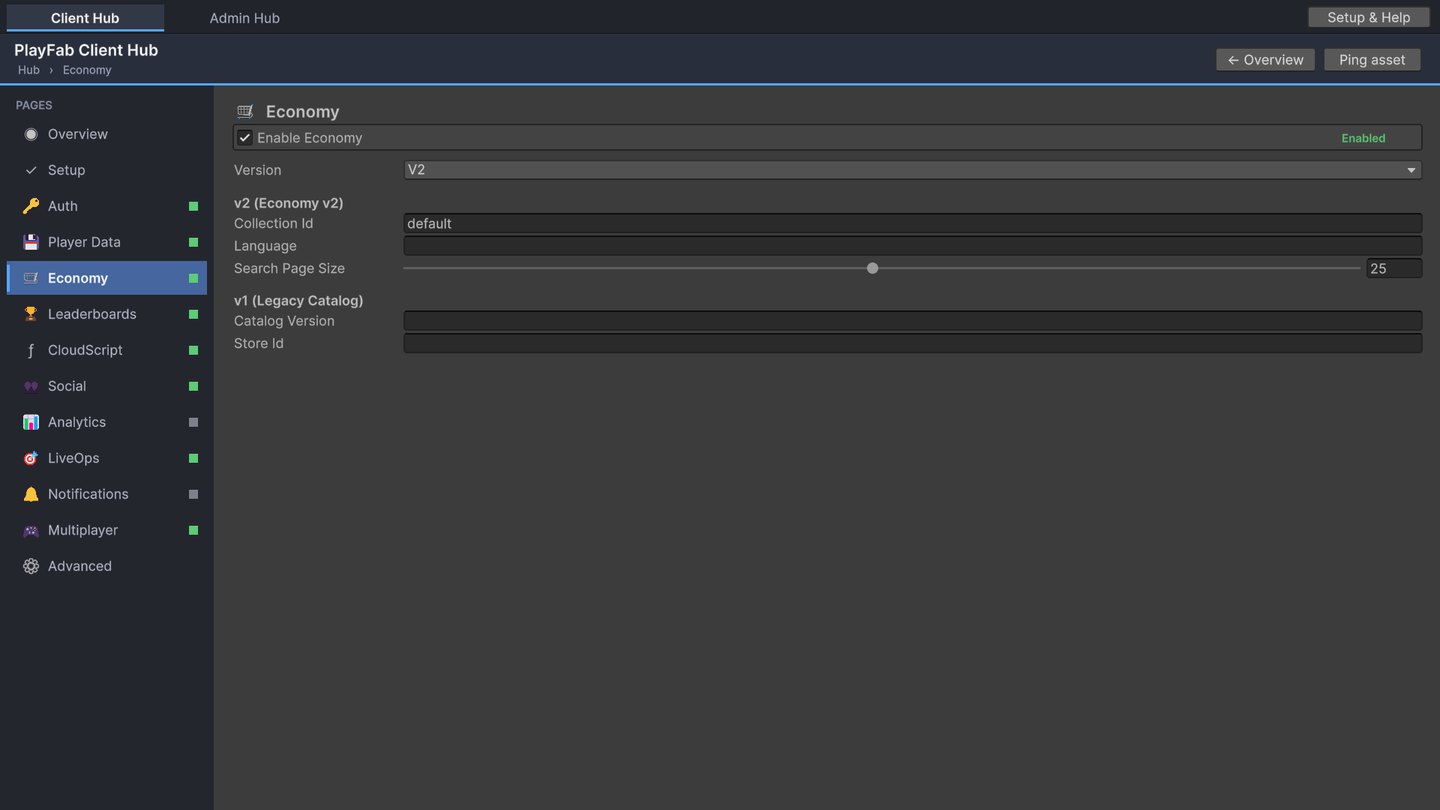
Economy
Economy v2 by default, with v1 catalog support when you need it.
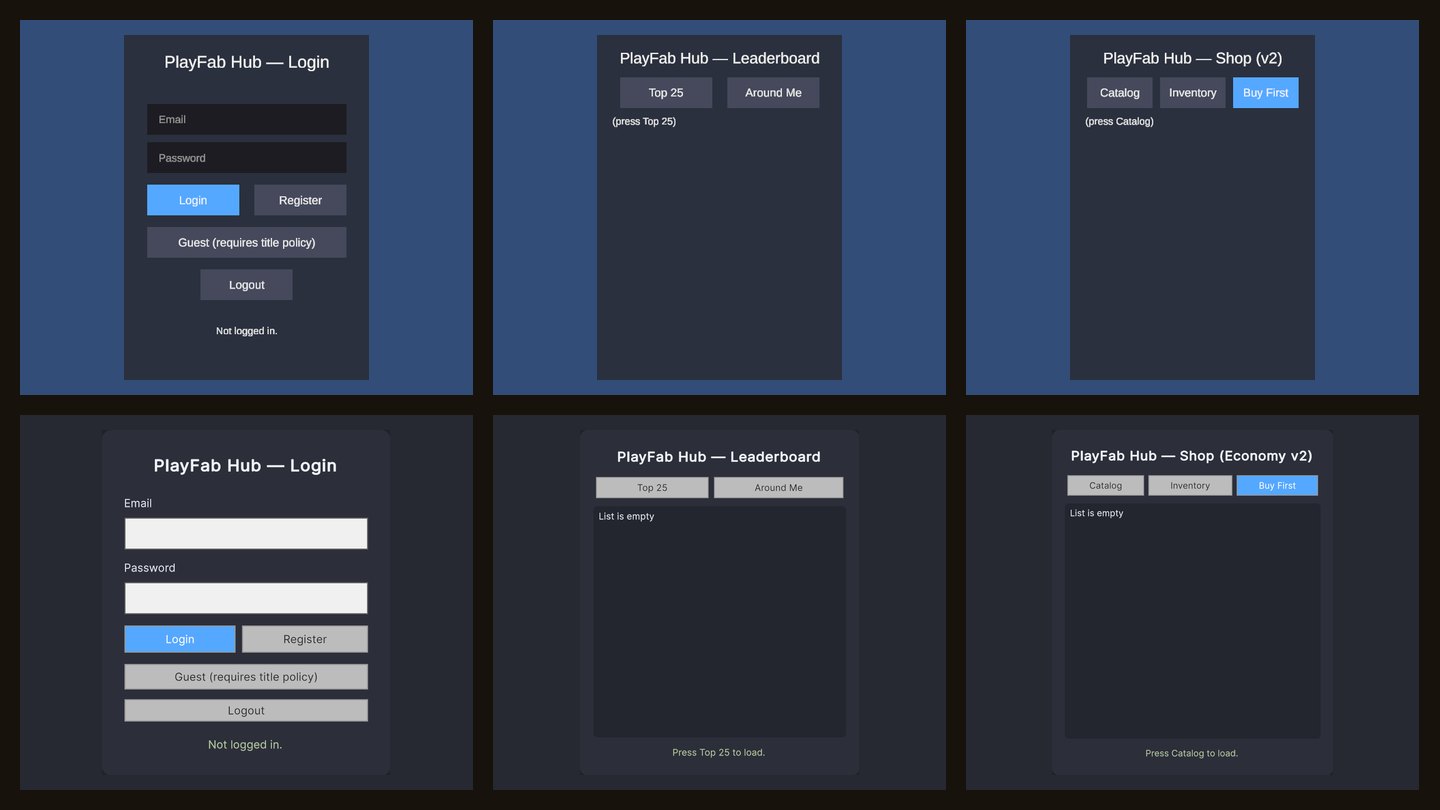
Demo scenes
Login, Leaderboard and Shop in uGUI and UI Toolkit.
Login to inventory in a few lines.
Initialize once, then call the feature you need. The same result pattern works for every manager, so your error handling stays in one shape.
// Login, save progress, post a score, read inventory
PlayFabHub.Initialize();

PlayFabHub.Auth.LoginWithEmail(email, password, r =>
{
    if (!r.Ok) { ShowError(r.Error.Message); return; }

    PlayFabHub.Data.SetObject("progress", save);
    PlayFabHub.Leaderboards.SubmitScore("high_score", score);
    PlayFabHub.Economy.GetInventoryV2(null, null, inv =>
        ShowItems(inv.Data.Items));
});Read the full docs online.
The same guides that ship inside the package, with installation, per-feature PlayFab setup, authentication on new titles, request reliability and server integration.
Getting started
Install the package and the PlayFab Unity SDK, then make your first calls.
READ →Feature setup
What to switch on in Game Manager for each feature.
READ →Authentication
Email, guest and platform login on current PlayFab titles.
READ →Troubleshooting
Common setup errors and how to fix them.
READ →What you need.
- A PlayFab account and title
- The PlayFab Unity SDK, installed separately
- Unity 2022.3 or Unity 6, Built-in or URP
- uGUI and TextMesh Pro for the uGUI demos
What it does not include.
- A hosted backend or networking transport
- Unity IAP checkout and mobile platform SDKs
- Your game's own server rules and moderation policies
- PlayFab usage charges, which PlayFab bills directly
Mind Invaders Games is independent of Microsoft. PlayFab is a Microsoft service.
PlayFab Hub questions.
Does PlayFab Hub include the PlayFab SDK?
No. Install the official PlayFab Unity SDK in your project. PlayFab Hub works on top of it, and the setup checks tell you if anything is missing.
Do I need Azure Functions?
Not for the default workflow. Server logic runs as PlayFab-hosted Legacy JavaScript CloudScript. Azure Functions stays optional for projects that need it.
Which Unity versions are supported?
Unity 2022.3 and Unity 6, with the Built-in render pipeline or URP. The backend calls do not depend on the render pipeline.
Does it handle real-money purchases?
It includes Google Play and Apple receipt validation helpers through PlayFab Legacy Economy v1. Your Unity IAP checkout, pending orders and restores stay in your game.
Where is the documentation?
Offline HTML guides ship inside the package, and the same guides are online in the PlayFab Hub documentation on this site.
Can you integrate PlayFab into my game for me?
Yes. We build, extend and rescue PlayFab backends for studios, from accounts and economies to LiveOps. Tell us about your project in the form below.
Need PlayFab done for you?
The team behind PlayFab Hub builds multiplayer and backend systems for client games.